What has changed?
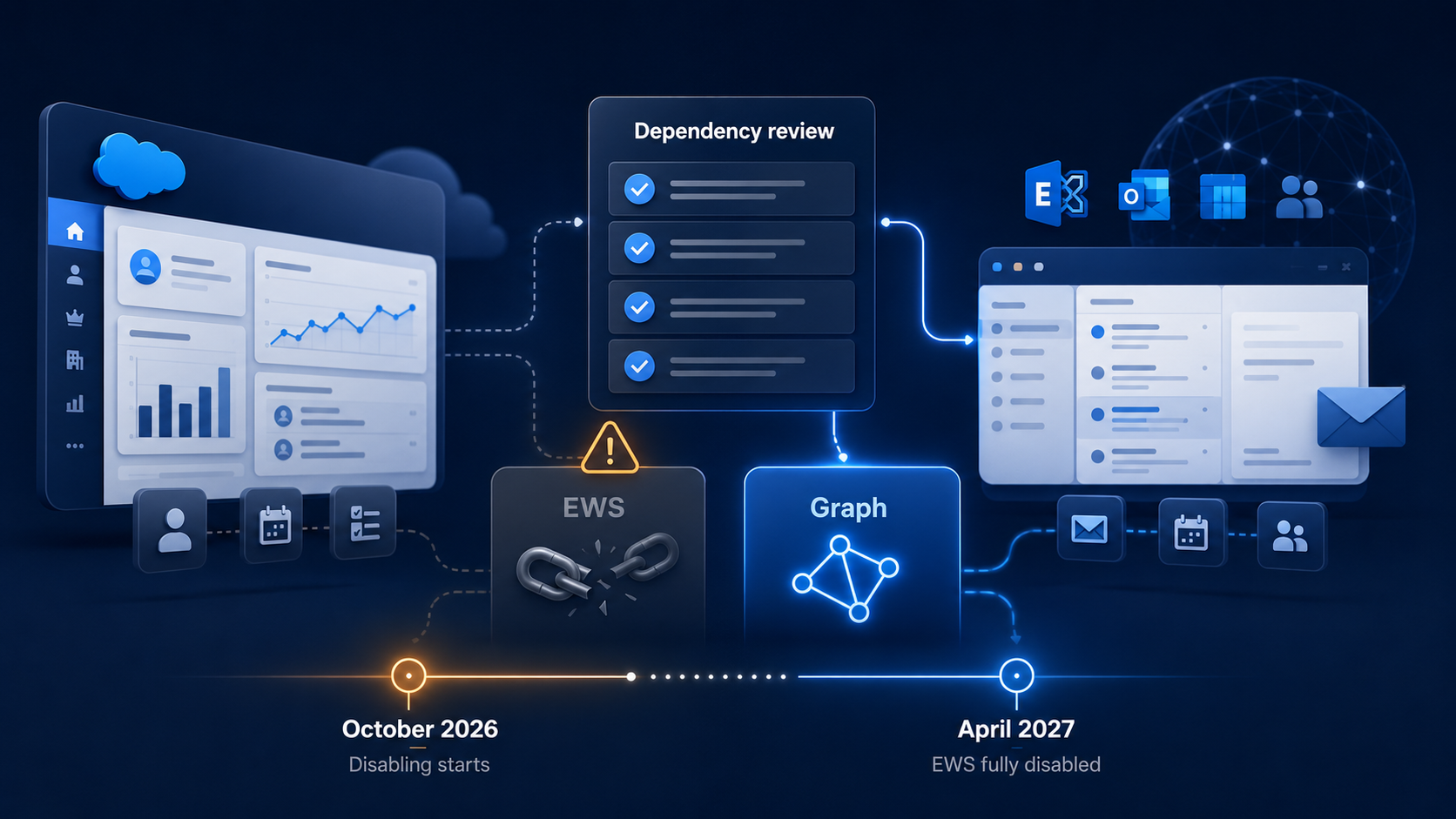
Microsoft has confirmed the retirement path for Exchange Web Services in Exchange Online. Its current Microsoft Learn guidance says EWS starts to be disabled globally for all organisations in October 2026 and is fully disabled in April 2027. Microsoft also tells organisations to identify active EWS applications and start migration work rather than waiting for every remaining Microsoft Graph parity gap to close.
That matters to Salesforce teams because email, calendar, activity capture and Outlook-related features often sit across Salesforce administration, Microsoft 365 administration and integration ownership. Salesforce Help already points Microsoft 365 connections used by Einstein Activity Capture towards Microsoft Graph, and Salesforce documentation for Exchange connection methods now references the Microsoft EWS retirement.
The practical risk is not that every Salesforce customer has the same configuration. The risk is that nobody owns the whole path. A Salesforce administrator may know the user-facing feature, a Microsoft 365 administrator may see EWS traffic, and a third-party integration owner may understand the actual dependency. The deadline creates a reason to bring those views together now.
Who may be affected?
Start with organisations using Salesforce with Microsoft 365 mailboxes, Outlook integration, Einstein Activity Capture, Lightning Sync history, calendar sync, activity capture, or custom services that touch Exchange Online. The exact impact depends on the connection method, the product in use and whether any third-party or internal application still calls EWS directly.
Do not treat Salesforce for Outlook and EWS retirement as the same issue. Salesforce Help says Salesforce for Outlook product retirement has been rescheduled for December 2027. Microsoft EWS retirement is earlier and is driven by Exchange Online. A team can therefore have more than one dependency track to manage.
Custom integrations need particular attention. Microsoft points organisations to EWS usage reports and analysis tools because tenant-level EWS traffic may come from applications that are not obvious from the Salesforce setup menu. If a Salesforce-connected process writes appointments, reads mailbox data or synchronises activities through an intermediary service, include it in the inventory.
Important dates
- Now
Inventory Salesforce-connected mail, calendar and activity dependencies. - October 2026
Microsoft says EWS starts to be disabled globally in Exchange Online. - April 2027
Microsoft says EWS is fully disabled in Exchange Online. - December 2027
Salesforce Help currently lists Salesforce for Outlook retirement as rescheduled to this month.
What Salesforce teams should check
- List every Microsoft 365 touchpoint. Include Outlook integration, Einstein Activity Capture, calendar sync, activity capture, service accounts, middleware and custom apps. Ask Microsoft 365 administrators for tenant EWS usage evidence rather than relying only on Salesforce configuration notes.
- Separate products from protocols. A feature name is not enough. Record whether the current connection uses EWS, Microsoft Graph, OAuth, service-account authentication, delegated user access or a third-party connector. This prevents a false sense of safety when a familiar product name hides an older protocol.
- Confirm the supported replacement path. Salesforce Help identifies Microsoft Graph as the replacement for Microsoft 365 connections in the relevant productivity guidance. For custom or vendor-owned integrations, get written confirmation of the migration approach, required permissions and target dates.
- Test user journeys, not only authentication. A successful sign-in does not prove that activity capture, calendar availability, sync direction, event updates, attachments or shared-mailbox scenarios still work. Build a representative test script before changing production.
- Assign cross-platform owners. Salesforce admins, Microsoft 365 admins, security teams and vendors need a single dependency tracker. Record who owns app registration, Graph permissions, consent, Salesforce configuration, sandbox testing and user communication.
- Plan the clean-up work. Retirement projects often reveal unused sync tools, broad service-account permissions or unclear activity-reporting requirements. Remove obsolete integrations before migration where possible, and keep evidence of what has been retired.
The Ostrelis view
This is a good example of a quiet integration risk. It may not look urgent from inside Salesforce because the hard retirement date belongs to Microsoft, but the operational impact can still land in Salesforce: missing activities, broken calendar sync, failed Outlook workflows or unclear ownership when users report that something has stopped updating.
The best first move is a dependency review, not a rushed configuration change. Identify which Salesforce capabilities rely on Exchange Online, match those findings against Microsoft 365 EWS usage data, and then decide whether each dependency should migrate, be replaced or be retired. Keep the outcome practical: named owners, test cases, dates, rollback notes and user-facing communication.
Ostrelis can help map Salesforce-connected dependencies, review data and integration risks, coordinate with Microsoft 365 or vendor teams and turn findings into a manageable preparation plan. For related help, see our Salesforce data and integration services, Salesforce health check and Salesforce support services.
Need help getting prepared?
Ostrelis can help assess whether this change affects your Salesforce environment, identify dependencies and plan the work needed to prepare safely.
Talk to a Salesforce expertSources
- Deprecation of Exchange Web Services in Exchange Online — Microsoft Learn (Last updated 12 March 2026, accessed 14 July 2026)
- Exchange Online EWS, Your Time is Almost Up — Microsoft Exchange Team Blog (5 February 2026; updated 19 June 2026, accessed 14 July 2026)
- Upgrade Microsoft Office 365 Authentication Method to Microsoft Graph — Salesforce Help (Current product documentation, accessed 14 July 2026)
- Choose and Configure a Method for Connecting to Microsoft Exchange — Salesforce Help (Current product documentation, accessed 14 July 2026)
- Salesforce for Outlook Retirement — Salesforce Help (Current knowledge article, accessed 14 July 2026)